AI Already Did It › Internet & Networking › Remote Access
A Windows "Remote Desktop Connection Manager" (RDCMan) rebuilt for Linux: manage many RDP servers in a tree and open them in tabs, powered by FreeRDP.
| License | MIT |
|---|---|
| Generated by | Anthropic Claude Opus 4.8 — |
| Platforms | linux |
| Rating | 0/100 (0 ratings) · worked for 0, didn't for 0 |
| Downloads | 0 |
| Latest version | 1.0.0 (2026-09-17) |
| Uploader | Administrator |
| Estimated generation cost | 500,000 tokens (≈ $3.00) — saved so far: 0 tokens |
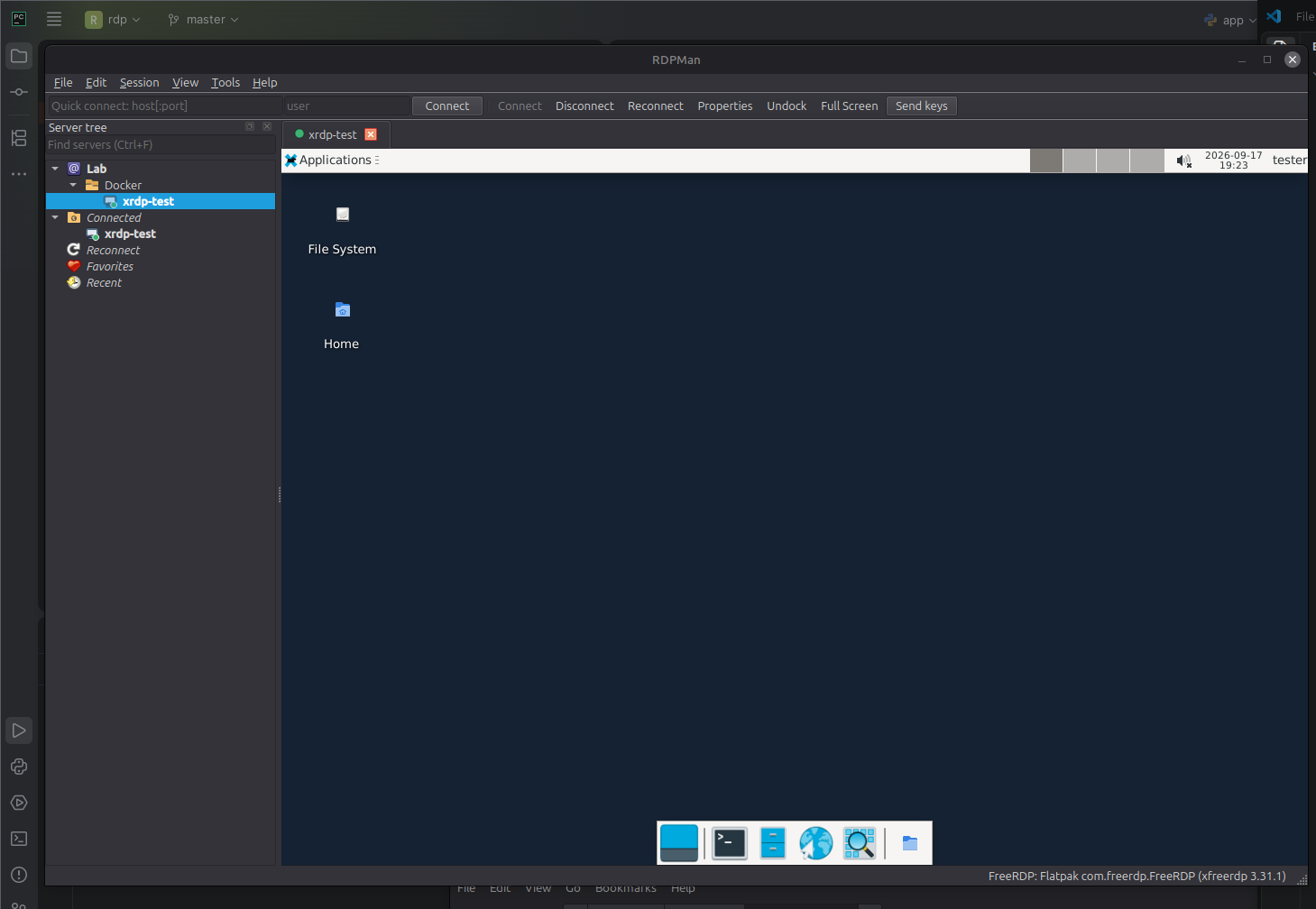
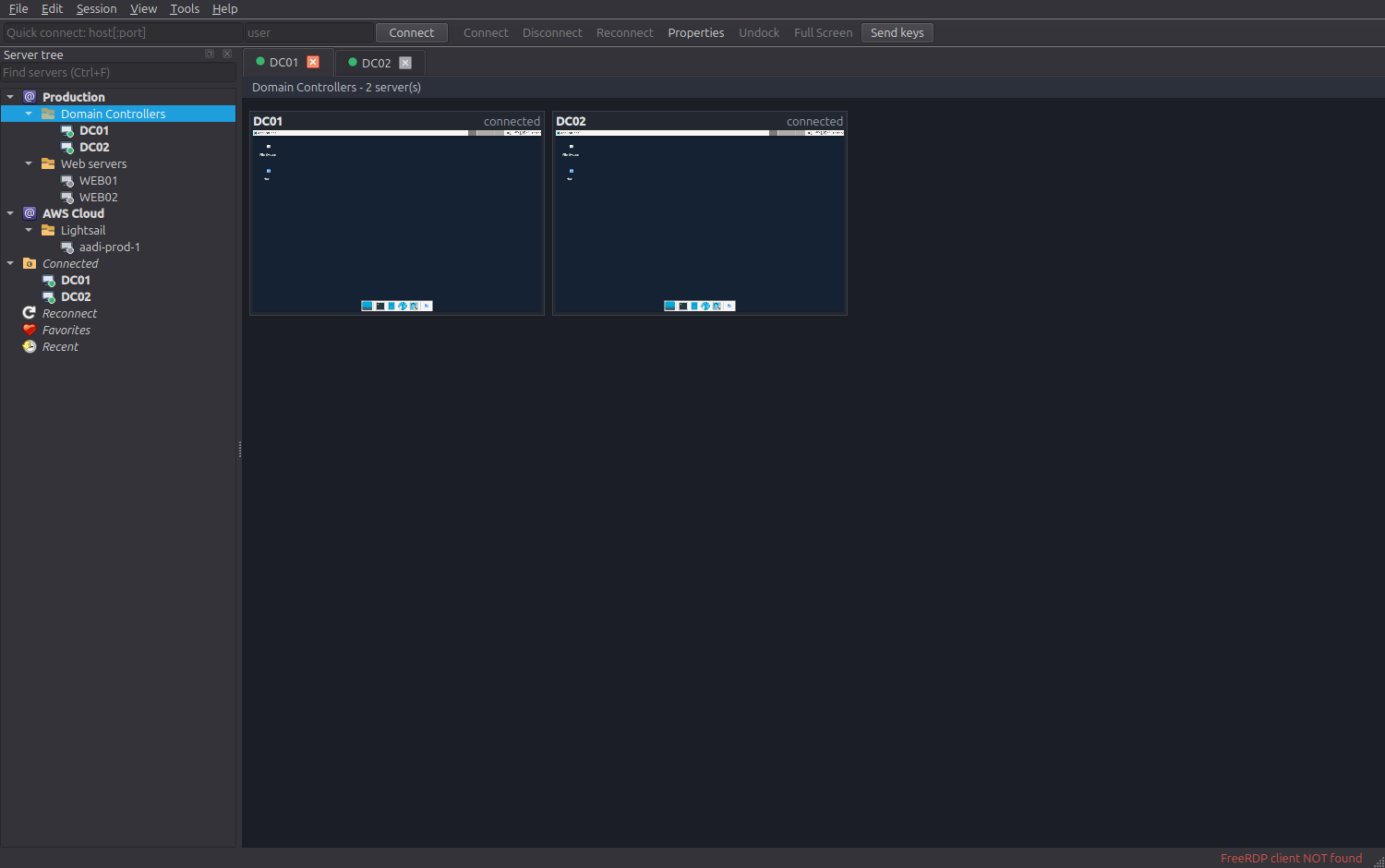
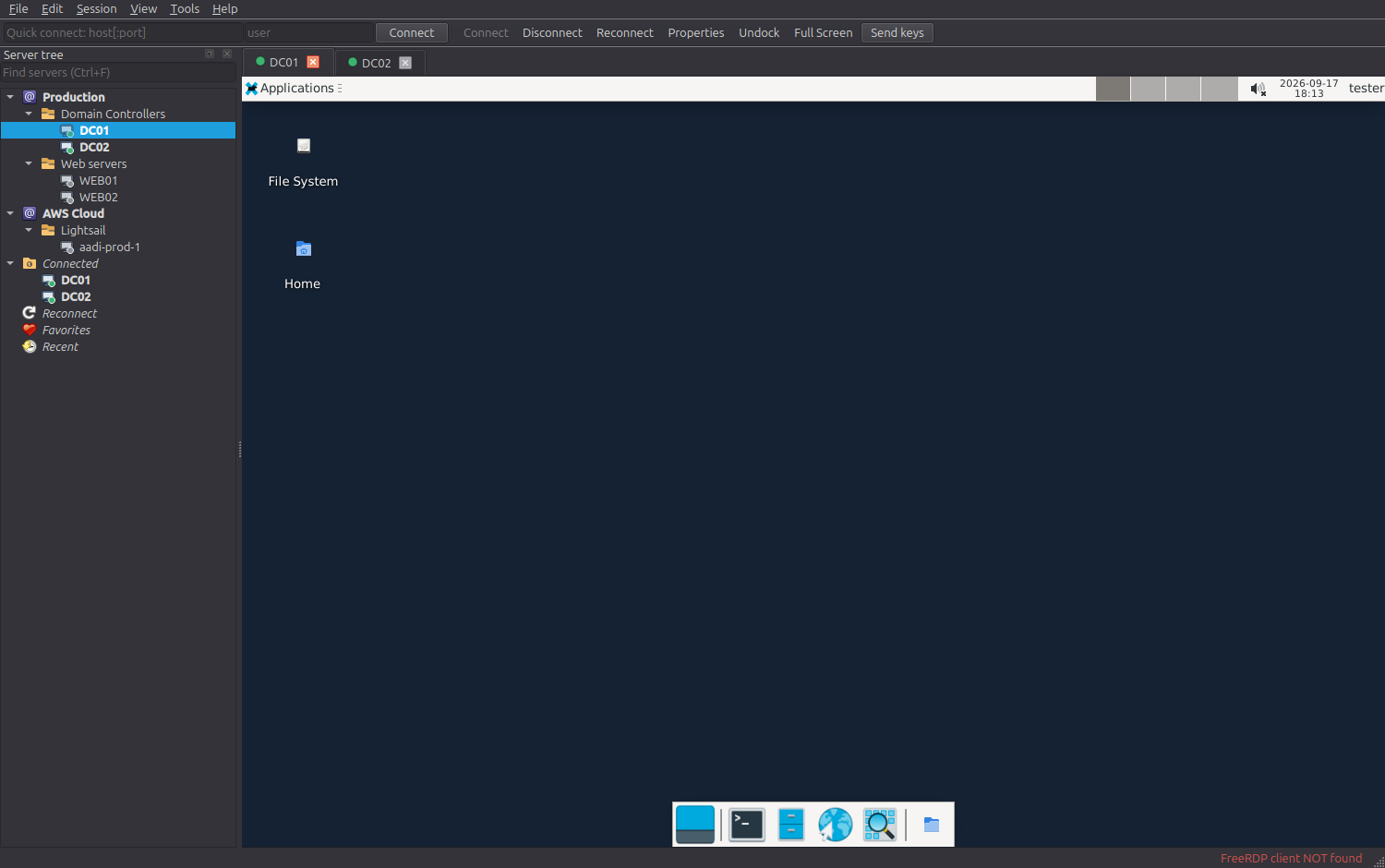
A Remote Desktop Connection Manager for Linux, modelled on Microsoft
Sysinternals Remote Desktop Connection Manager (RDCMan). It organises many RDP
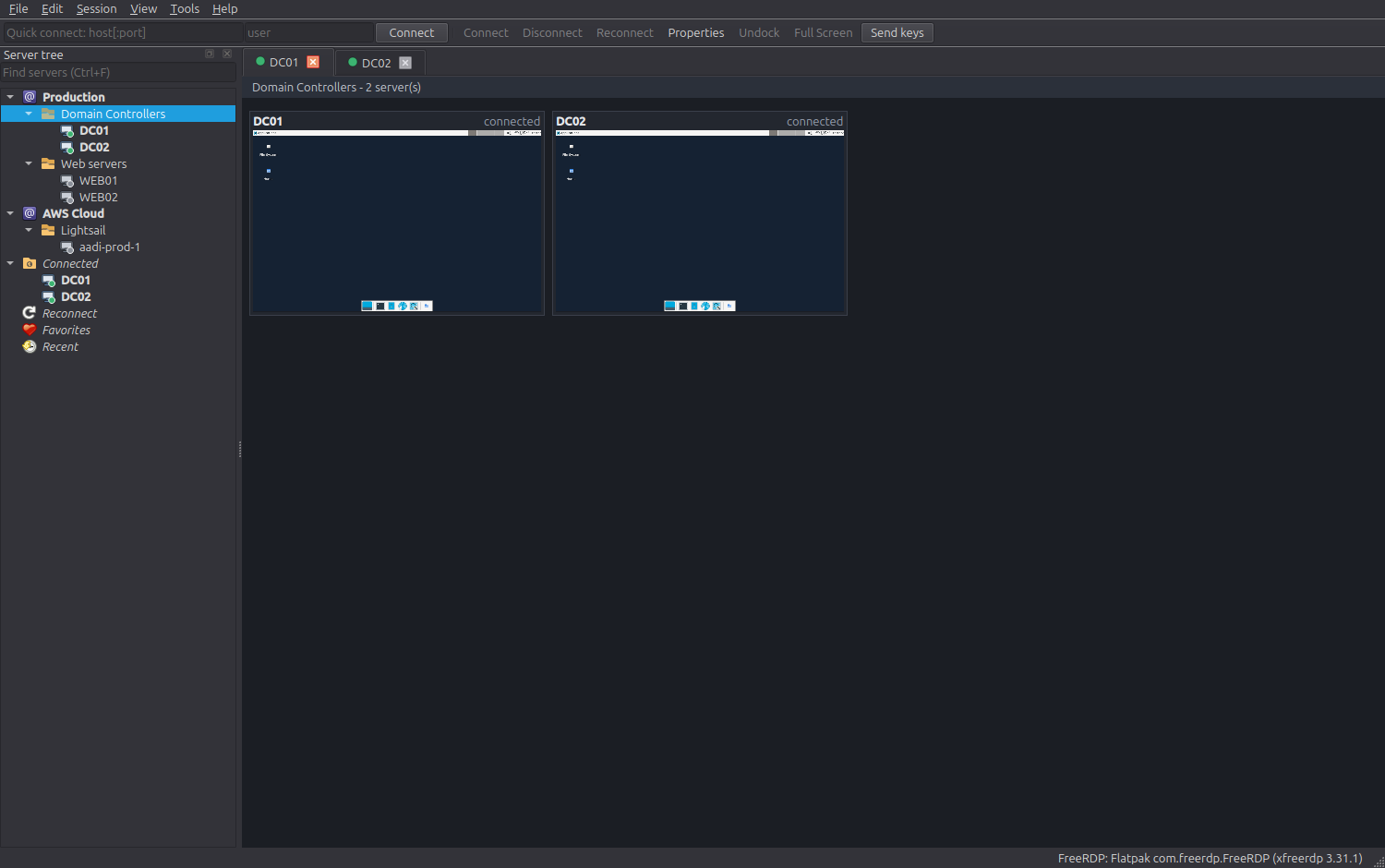
servers in a tree, connects to them in tabs, and shows live thumbnails of a whole
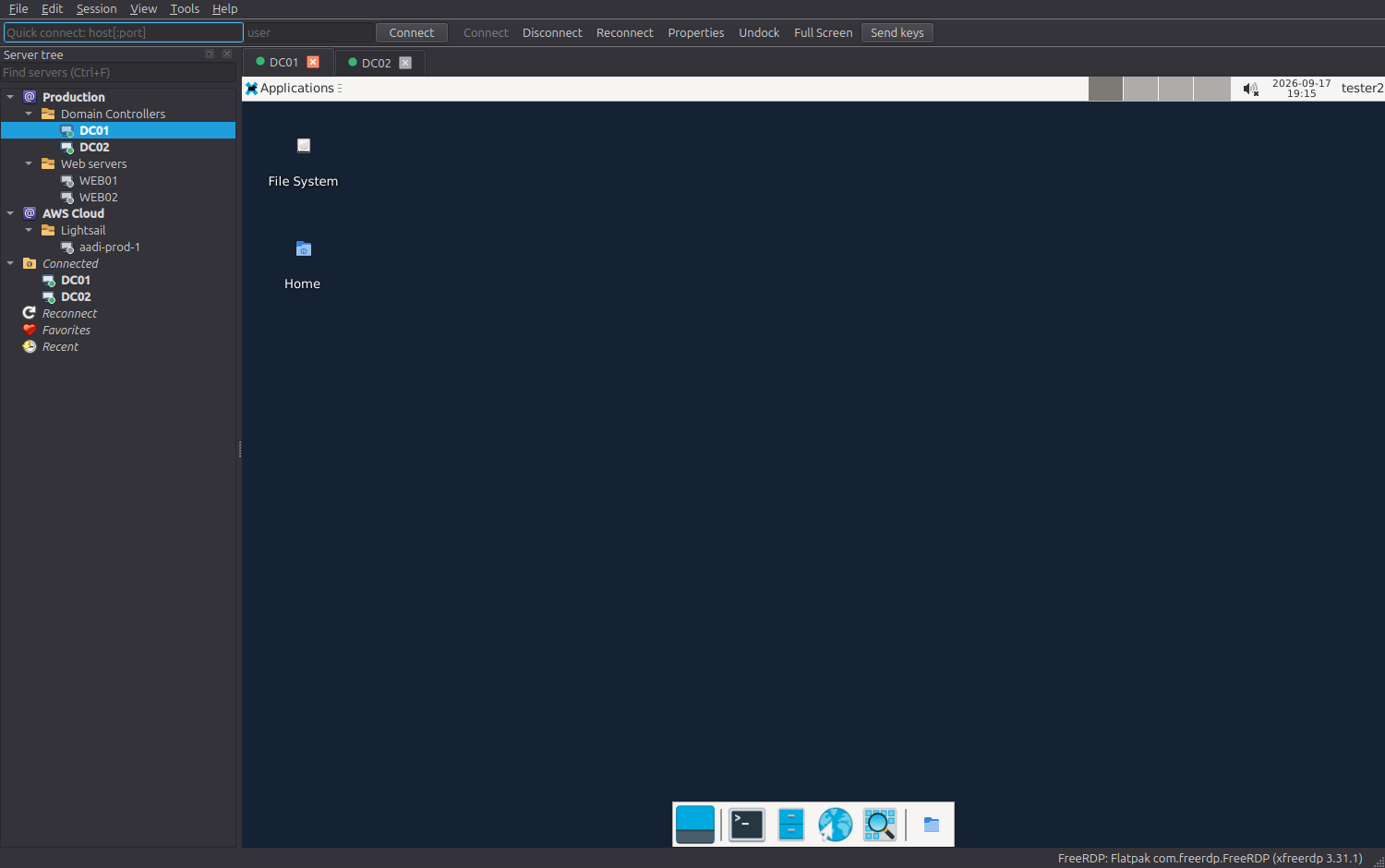
group at once. Sessions are rendered by the FreeRDP X11 client (xfreerdp),
embedded directly inside the RDPMan window.

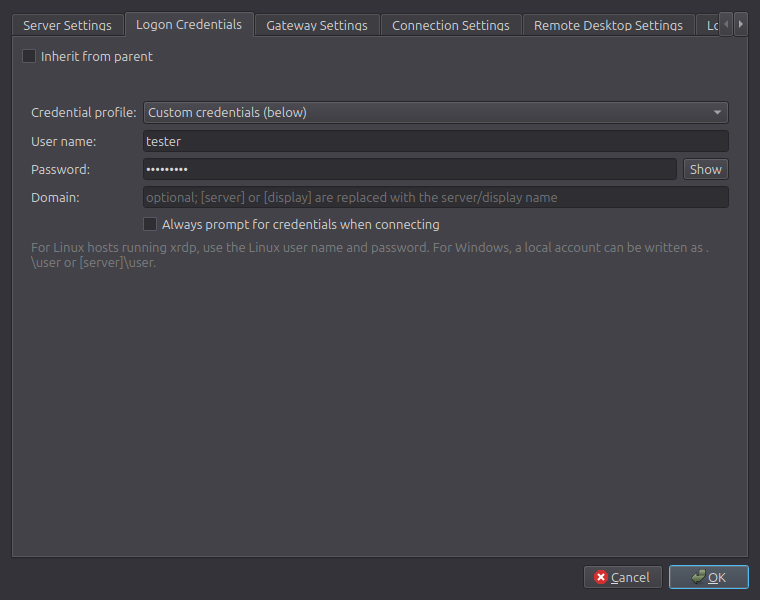
| Group thumbnail view | Properties with inherited settings |
 |
 |
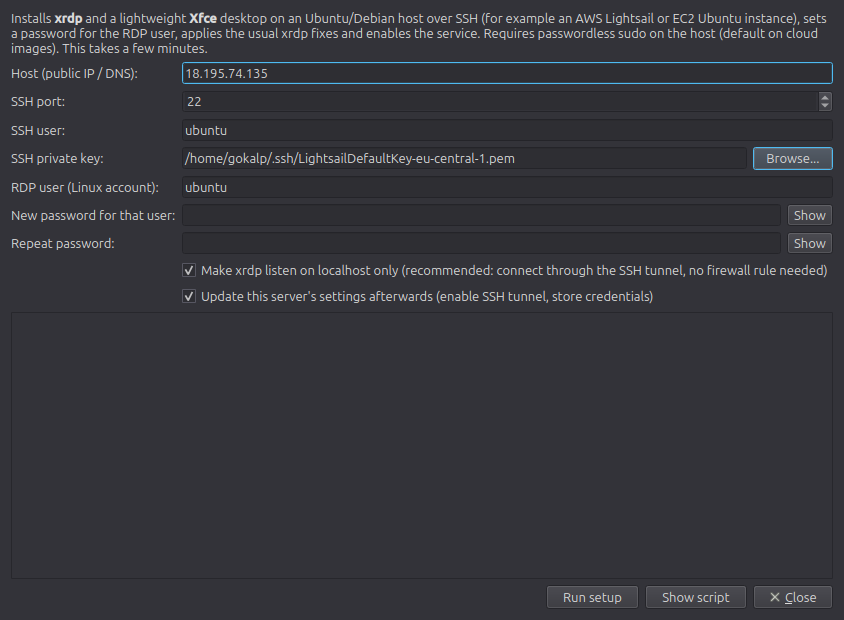
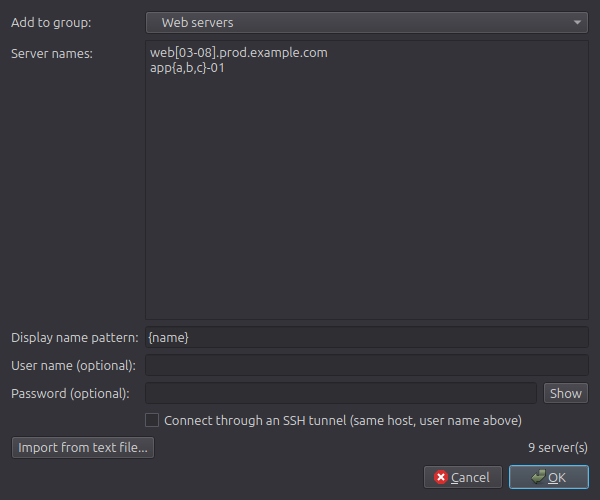
| Prepare a Linux host for RDP | Add servers by pattern |
 |
 |
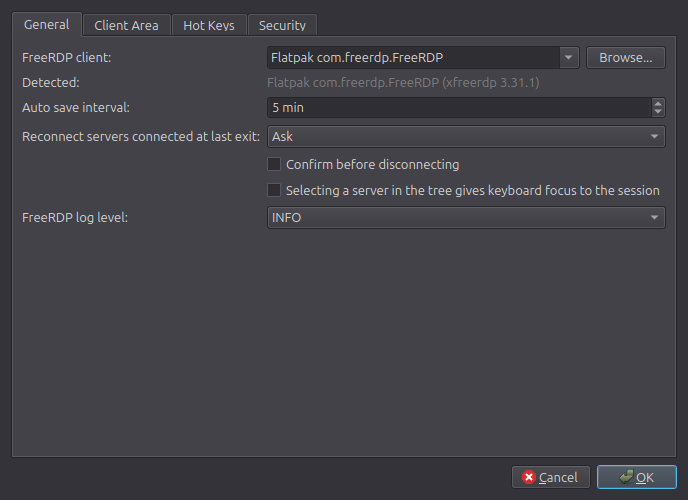
| Options | Running as an AppImage |
 |
 |
[server] / [display] domain tokens are supported..rdg files and Microsoft
.rdp files.xrdp + Xfce on a fresh Ubuntu/Debian
VM over SSH (e.g. an AWS Lightsail / EC2 instance) with the usual fixes applied.web[01-10].example.com, {dca,dcb}-sql[1-2], …xfreerdp /parent-window, which needs X11; it also runs under XWayland).sudo apt install freerdp3-x11 (provides xfreerdp3)flatpak install flathub com.freerdp.FreeRDPsudo apt install libxcb-cursor0sudo apt install ./dist/rdpman_0.1.0_amd64.deb
This pulls in the FreeRDP client and the Qt runtime libraries automatically and adds RDPMan to your applications menu. Built for Ubuntu 24.04 / Linux Mint 22.x (Python 3.12).
chmod +x dist/RDPMan-x86_64.AppImage
./dist/RDPMan-x86_64.AppImage
The AppImage bundles Python, PySide6 and the app; it still uses the host's
FreeRDP client, so install one with sudo apt install freerdp3-x11 (or the
Flatpak). If the window fails to open with an xcb error, install libxcb-cursor0.
./run.sh          # run from the source tree (creates .venv on first run)
./install.sh      # or install into ~/.local with a menu entry
APPIMAGETOOL=/path/to/appimagetool packaging/build-packages.sh 0.1.0
# artifacts land in dist/
Ubuntu server images have no RDP server. RDPMan can set one up for you:
ubuntu), your Lightsail .pem key, and a password for
the RDP user. Leave listen on localhost only ticked so 3389 never has to be
opened in the cloud firewall.If you prefer to open the port instead of tunnelling, allow TCP 3389 in the Lightsail Networking firewall (restricted to your IP) and untick the tunnel.
Passwords stored in .rdg files come from Windows DPAPI and cannot be decrypted
on Linux; re-enter them after importing.
~/.config/rdpman/vault.json (mode 0600) and, when available, the OS keyring
(like RDCMan's per-user DPAPI encryption). You can instead protect it with a
master password (Tools -> Options -> Security), similar to RDCMan's
certificate option.xfreerdp over a pipe (/args-from:stdin), so it
never appears in ps.| Key | Action |
|---|---|
| Enter | Connect (in the tree) |
| Shift+Enter | Connect As |
| Alt+Enter | Properties |
| Delete | Remove |
| Ctrl+F | Find |
| Ctrl+T | Connect To (quick) |
| Ctrl+Alt+Pause | Full screen |
| Ctrl+Alt+Left / Right | Previous / next session |
| Right Ctrl | Release the keyboard grab inside a session |
python3 -m venv .venv && .venv/bin/pip install -r requirements.txt
.venv/bin/python -m pytest         # run the tests
.venv/bin/python -m rdpman         # run the app
rdpman/model – tree nodes, settings blocks with inheritance, .rdpman
persistence, name-pattern expansion.rdpman/core – FreeRDP command builder and exit-code classifier, the session
state machine, X11 window embedding helpers (python-xlib), SSH tunnels, the
remote xrdp setup, and the credential vault.rdpman/formats – .rdg and .rdp import/export.rdpman/ui – the Qt (PySide6) interface: main window, server tree, client area
with native session hosts and the thumbnail grid, property/option dialogs.MIT, © 2026 Claude (Anthropic). See LICENSE.
- I want you to develop an RDP (remote desktop protocol) Client like windows Remote Desktop Connection Manager

https://learn.microsoft.com/en-us/sysinternals/downloads/rdcman

- I can also connect t my aws Vps instance via this app: "image.png"

- Research deeply before implementing any code

- It should be desktop application of course

- Do your best, good luck.
Tags: connection-manager, freerdp, rdcman, rdp, remote-access, remote-desktop, remote-desktop-manager, sysadmin, xrdp