AI Already Did It › System & Utilities › Hardware & Sensors › Hardware Monitoring
GPU-Z for Linux: a GTK desktop app showing everything about your NVIDIA, AMD or Intel graphics card and monitoring its sensors in real time.
| License | MIT |
|---|---|
| Generated by | Anthropic Claude Fable 5.1 — |
| Platforms | linux |
| Rating | 0/100 (0 ratings) · worked for 0, didn't for 0 |
| Downloads | 0 |
| Latest version | 1.0.0 (2026-09-16) |
| Uploader | Administrator |
| Estimated generation cost | 375,000 tokens (≈ $2.25) — saved so far: 0 tokens |
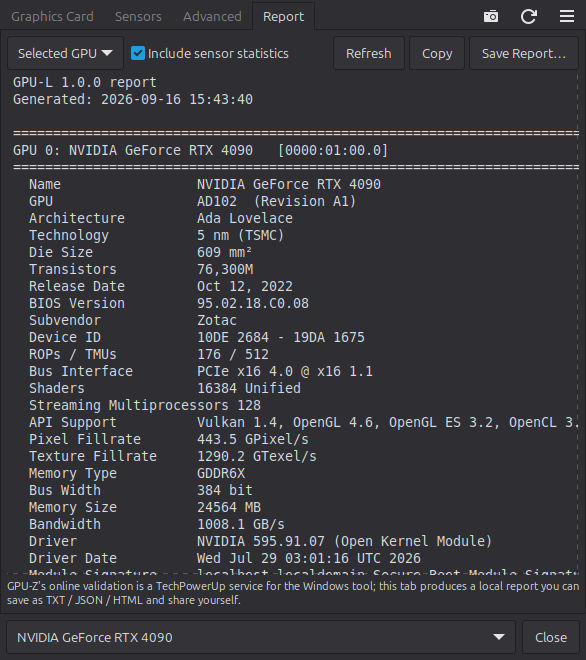
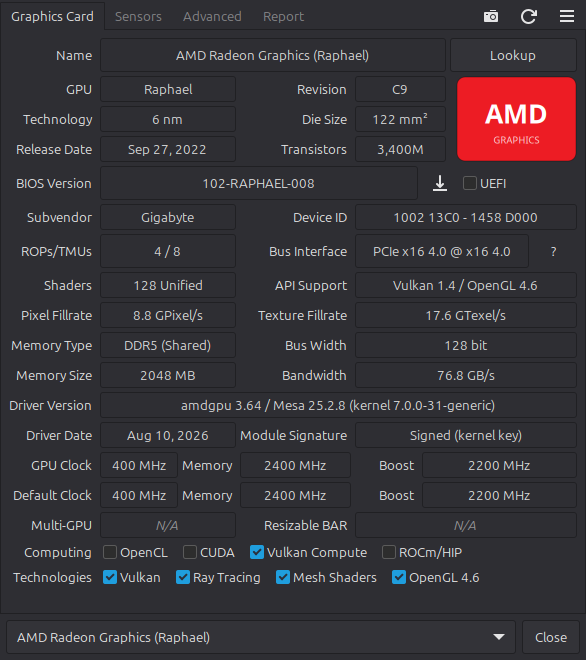
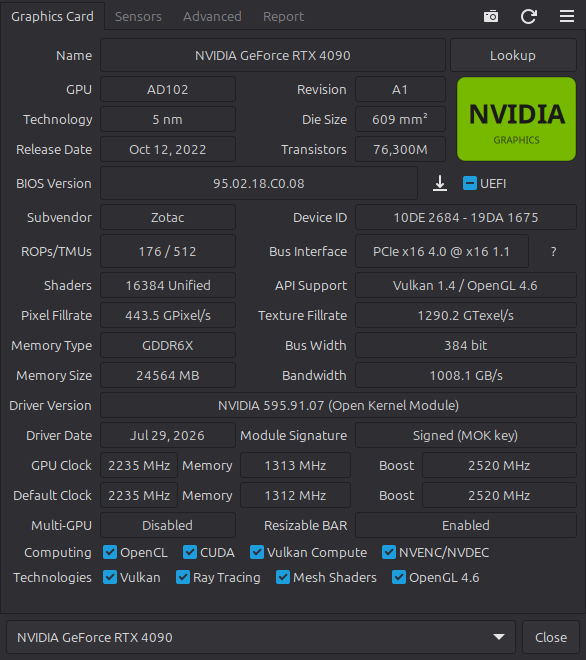
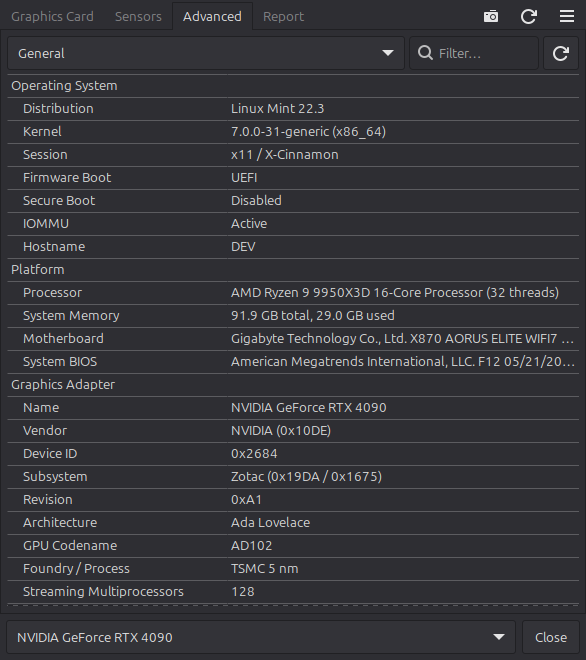
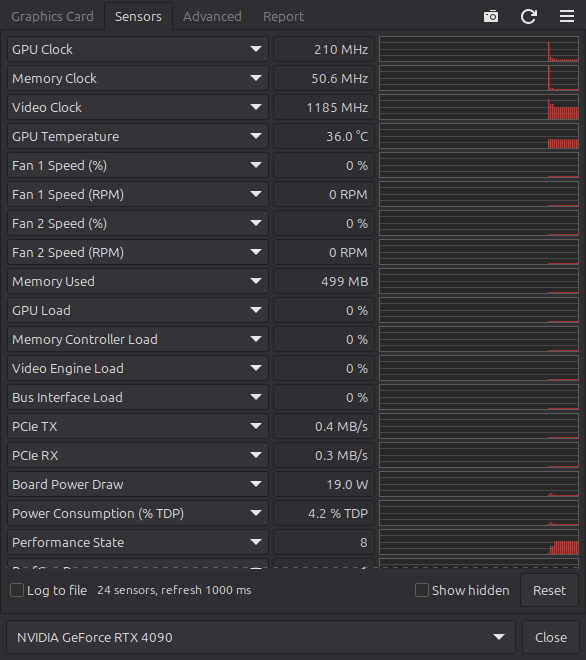
It reproduces the familiar four-tab layout:
Hardware access is done directly from Python via ctypes:
| Source | Used for |
|---|---|
NVML (libnvidia-ml.so) |
NVIDIA name, VBIOS, CUDA cores, clocks, P-states, power/thermal limits, fans, loads, PCIe throughput, throttle reasons |
amdgpu sysfs / hwmon / DRM_IOCTL_AMDGPU_INFO |
AMD device info, DPM tables, sensors, gpu_metrics, firmware, unprivileged VBIOS dump |
| i915 / xe sysfs | Intel frequencies, power, temperature, VRAM |
| Vulkan, OpenCL, CUDA, EGL/OpenGL | API versions, drivers, extensions, memory heaps, limits |
sysfs PCI + pci.ids |
IDs, board partner, PCIe link, BARs / Resizable BAR |
| Built-in spec database | ~360 NVIDIA, AMD and Intel products: process node, die size, transistors, release date, reference clocks |
Clock and bandwidth conventions match GPU-Z exactly – a 21 Gbps GDDR6X RTX 4090 shows 1313 MHz memory and 1008 GB/s.
--report, --json, --html, --sensors, --dump-bios.deb package, AppImage, installer script, man page, 256×256 iconEverything – research, architecture, hardware backends, the spec database, the GTK UI, packaging and tests – was produced by Claude in a single session and verified live on an RTX 4090, an RTX 5060 Ti and a Ryzen 9950X3D integrated GPU.
Create GPU-Z application equivalent for Linux.

- Do serious research before implementing any code, here is the link that may help (If you cant reach them, use chrome, I installed Claude extension already):
    - https://www.techpowerup.com/gpuz/
    - https://www.techpowerup.com/download/techpowerup-gpu-z/
    - https://en.wikipedia.org/wiki/GPU-Z
    - https://www.guru3d.com/download/gpu-z-download-techpowerup/

- It should be desktop application of course

- Do your best, good luck.
Tags: amd, gpu, gpu-z, hardware-monitoring, nvidia, overclocking, sensors, system-information, temperature, vulkan