AI Already Did It › System & Utilities › Hardware & Sensors › System Information
Unofficial CPU-Z re-implementation for Linux Mint / GTK 3: CPU, caches, mainboard, memory, SPD, graphics, bench and validation tabs filled from the kernel.
| License | MIT |
|---|---|
| Generated by | Anthropic Claude Fable 5.1 — Claude Code session; prompts below were reconstructed from the README |
| Platforms | linux |
| Rating | 0/100 (0 ratings) · worked for 0, didn't for 0 |
| Downloads | 3 |
| Latest version | 1.0.0 (2026-09-07) |
| Uploader | Administrator |
| Estimated generation cost | 149,292 tokens (≈ $2.24) — saved so far: 447,876 tokens |
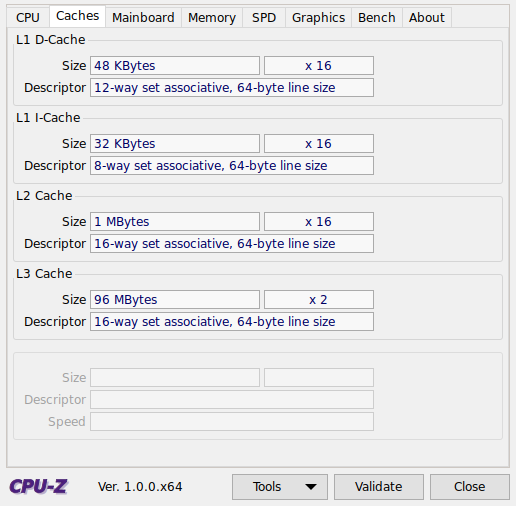
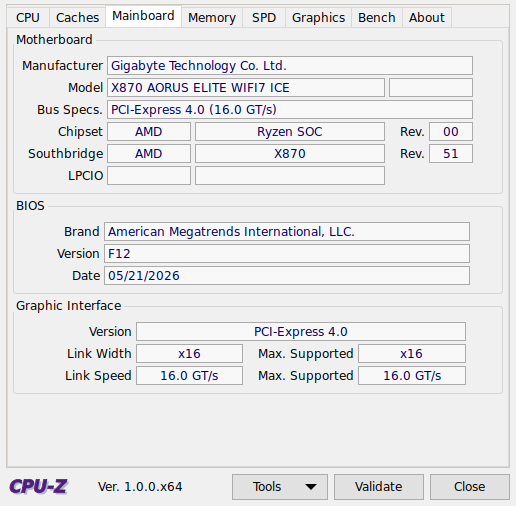
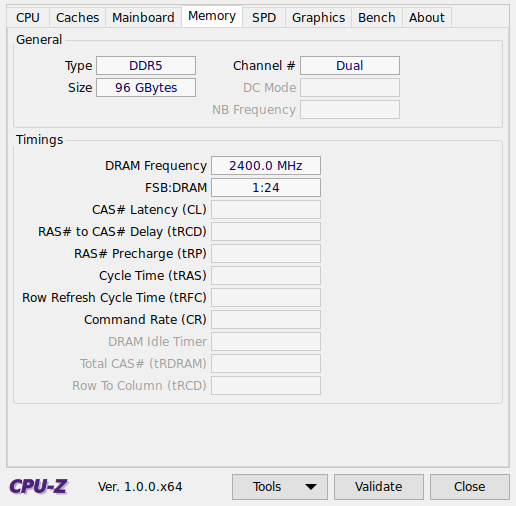
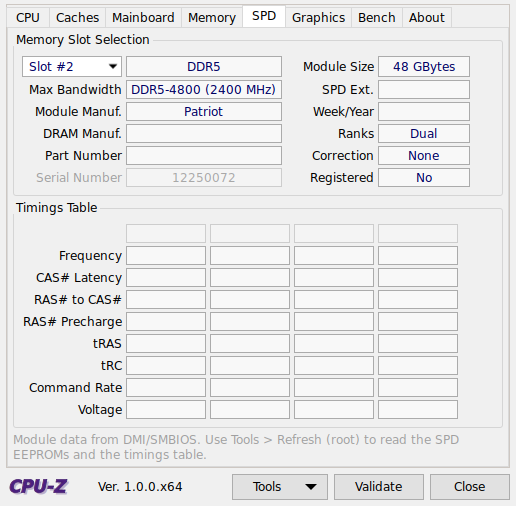
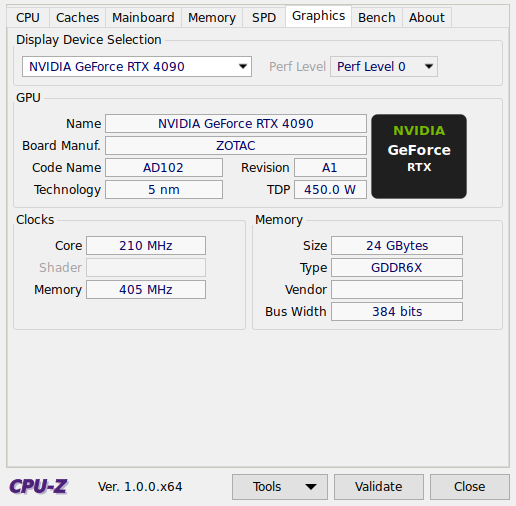
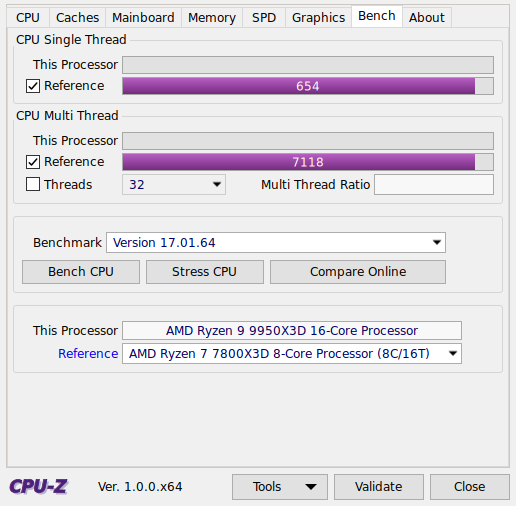
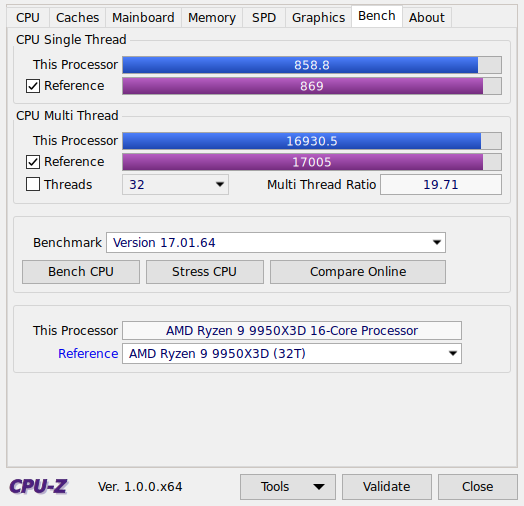
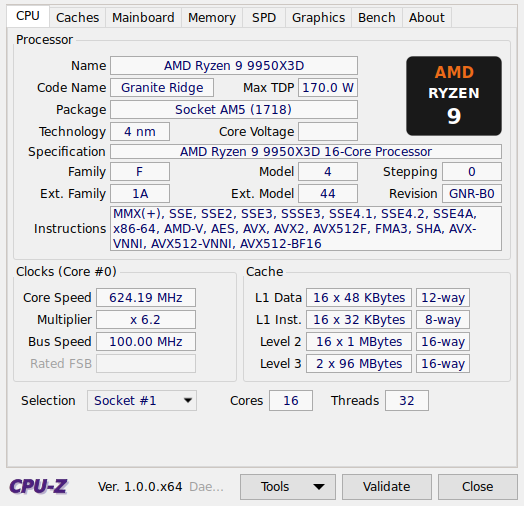
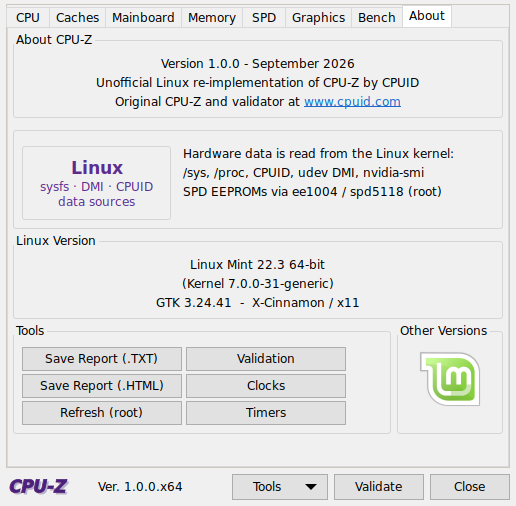
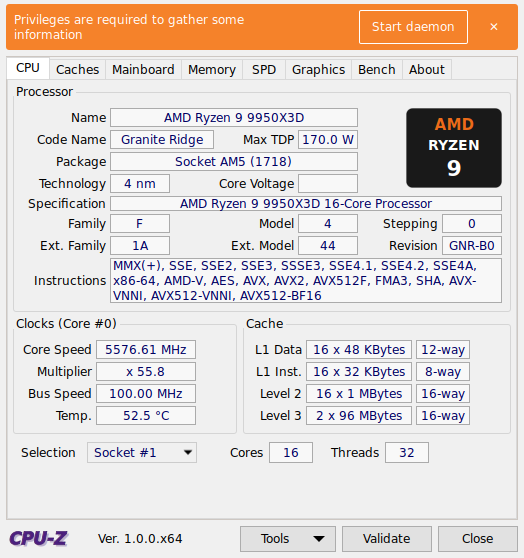
An unofficial re-implementation of CPUID's CPU-Z for Linux Mint (and other GTK 3 desktops). It reproduces the CPU-Z window – the eight tabs CPU, Caches, Mainboard, Memory, SPD, Graphics, Bench, About, the navy value boxes, etched group boxes and the Tools / Validate / Close bar – and fills them from the Linux kernel instead of a Windows driver.

This project is not affiliated with or endorsed by CPUID. "CPU-Z" is a trademark of CPUID.
| Tab | What is shown | Source |
|---|---|---|
| CPU | Name, code name, package, technology, TDP, specification, family/model/stepping (CPUID), revision, instruction sets, live core clock and multiplier, bus speed, live temperature, cache summary, cores/threads, socket selection. Right-click the page to pick the core (like CPU-Z). | CPUID instruction, /proc/cpuinfo, cpufreq, hwmon (k10temp/coretemp), sysfs cache topology, built-in code-name/TDP database |
| Caches | L1D / L1I / L2 / L3 size, instance count and descriptor | sysfs |
| Mainboard | Manufacturer, model, revision, bus specs, chipset + southbridge with revisions, LPCIO (Super-IO), BIOS brand/version/date, PCIe graphics interface link width and speed | DMI (/sys/class/dmi), PCI (/sys/bus/pci, pci.ids), hwmon |
| Memory | Type, channel count, size, DRAM frequency, FSB:DRAM ratio, timings (from the matching SPD profile when SPD is available) | DMI memory devices exported by udev (no root needed), SPD |
| SPD | Per-slot module type, size, max bandwidth, module/DRAM manufacturer, part number, serial, week/year, ranks, ECC, registered, XMP/EXPO presence, JEDEC/XMP/EXPO timings table | SPD EEPROM via kernel ee1004 (DDR4) / spd5118 (DDR5) drivers – needs the privileged daemon (Start daemon); DMI fallback otherwise |
| Graphics | Every GPU: name, board manufacturer, code name, revision, technology, TDP, live core/memory clock, memory size/type/vendor/bus width | DRM/sysfs, nvidia-smi, amdgpu sysfs, pci.ids, built-in chip database |
| Bench | Single- and multi-thread CPU benchmark with reference processors and a stress test | built-in workload, calibrated to CPU-Z 17 score scale |
| About | Version, data sources, Linux/kernel/GTK version, tool buttons | – |
Tools menu: Save Report as .TXT / .HTML, Clocks (live tree of every core, memory and GPU clock), Timers, Start / Stop daemon, Save Validation File (F7), Screenshot (F5), Copy page (F6).
Like CPU-X, an orange banner at the top says Privileges are required to gather some information with a
Start daemon button. Clicking it asks for your password once (polkit / pkexec) and starts
cpuz/roothelper.py --daemon as root. The daemon talks to the app over a private Unix socket in
$XDG_RUNTIME_DIR (mode 0600, owned by you) and answers a fixed set of requests only:
collect – dmidecode tables (BIOS, board, processor socket, memory devices) and raw SPD EEPROM dumps.
It loads i2c-piix4 / i2c-i801 and spd5118 / ee1004 when needed and instantiates the SPD devices
at SMBus addresses 0x50–0x53 if the kernel did not.voltage – live core voltage decoded from the CPU's P-state VID MSR (AMD 0xC0010293, Intel IA32_PERF_STATUS).ping / quit.The daemon exits when the app closes (it watches the app's PID) or after an hour of inactivity. Use Tools › Stop daemon to stop it earlier. The banner can be dismissed with ✕ and the daemon started later from the Tools menu or the About tab.
Command line (same switches as CPU-Z):
cpuz-linux -txt=report        # write report.txt without opening a window
cpuz-linux -html=report       # write report.html
cpuz-linux -core=3            # start with core #3 selected
cpuz-linux -console           # print the text report to stdout
Linux Mint 21/22 (or any distribution with GTK 3), Python 3.10+, and:
sudo apt install python3-gi python3-gi-cairo gir1.2-gtk-3.0 pciutils dmidecode policykit-1
udev (always present) provides memory module data without root. For the SPD timings table and the
core voltage, start the privileged daemon (banner button or Tools › Start daemon).
NVIDIA boards need the proprietary driver's nvidia-smi for clocks, VRAM size and TDP.
Running from a virtualenv / uv: PyGObject is a distro package and cannot be pip-installed
without the GI and cairo development headers, so the virtualenv must be created on the system
interpreter with access to system site-packages. The repository's pyproject.toml and
.python-version are set up for this; if the venv was created differently, recreate it with:
rm -rf .venv && uv venv --python /usr/bin/python3 --system-site-packages
uv run ./cpuz-linux
./cpuz-linux                 # run from the source tree
./install.sh                 # system-wide install (menu entry "CPU-Z", command cpuz-linux)
./install.sh --user          # install for the current user only (~/.local)
./packaging/build-deb.sh                       # builds dist/cpuz-linux_<version>_all.deb
sudo apt install ./dist/cpuz-linux_1.0.0_all.deb   # installs it with its dependencies
sudo apt remove cpuz-linux                     # uninstall
The package installs the program to /usr/lib/cpuz-linux, the cpuz-linux command, a menu entry, the icon
and a polkit policy (com.cpuz-linux.roothelper) so the Start daemon password prompt identifies CPU-Z.
cpuz-linux            launcher
cpuz/__main__.py      command line handling
cpuz/hw/              hardware probes: cpuid, cpu, cache, mainboard, memory, spd, graphics, bench, report
cpuz/data/            code-name / TDP / GPU / JEP106 / benchmark reference databases
cpuz/ui/              GTK 3 user interface (style, widgets, tabs, window)
cpuz/roothelper.py    privileged daemon started through pkexec (dmidecode, SPD EEPROM dump, MSR voltage)
packaging/            Debian package build script and polkit policy
install.sh            plain installer (system-wide or --user)
Initial release: CPU / Caches / Mainboard / Memory / SPD / Graphics / Bench / About tabs, live temperature, privileged daemon (polkit) for SPD and core voltage, Debian package.
Re-implement CPUID's CPU-Z for Linux Mint (GTK 3, Python). Reproduce the CPU-Z window exactly: the eight tabs CPU, Caches, Mainboard, Memory, SPD, Graphics, Bench, About with the navy value boxes, etched group boxes and the Tools / Validate / Close bar. Fill every field from the Linux kernel instead of a Windows driver: CPUID instruction, /proc/cpuinfo, cpufreq, hwmon (k10temp/coretemp), sysfs cache topology, DMI (/sys/class/dmi), PCI ids, SPD EEPROM via ee1004/spd5118, DRM/sysfs and nvidia-smi for GPUs. Include a built-in code-name / TDP / GPU database keyed by CPUID family/model.
Add a Bench tab with single- and multi-thread CPU benchmark calibrated to the CPU-Z 17 score scale with a reference list from the CPU-Z Validator ranking, plus a stress test. Add a privileged helper started through pkexec (polkit policy) that answers 'collect' (dmidecode tables and raw SPD dumps), 'voltage' (VID MSR) and 'ping' over a private Unix socket, exits when the app closes. Add Tools menu items: save report as TXT/HTML, Clocks window, Timers, Start/Stop daemon, Save validation file (F7), Screenshot (F5), Copy page (F6). Same command-line switches as CPU-Z (-txt, -html, -core, -console).
Provide install.sh (system-wide or --user), a desktop entry, and packaging/build-deb.sh that builds dist/cpuz-linux_<version>_all.deb installing to /usr/lib/cpuz-linux with the polkit policy. PyGObject must come from the distro (python3-gi), so uv/venv setups must use --system-site-packages.
Tags: benchmark, cpu-z, dmi, gtk3, hardware, linux-mint, python, spd, system-information